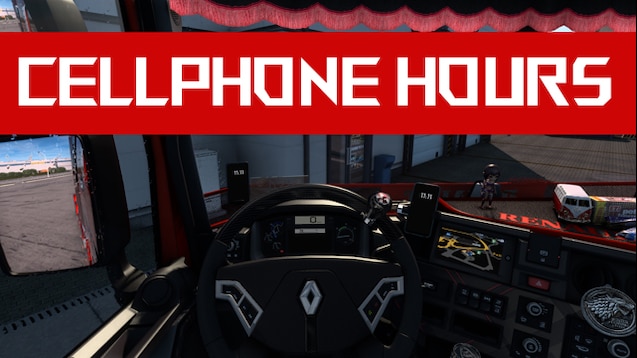
cell phone hours ETS2
Descriptions:
You’re asking about having a “cell phone” or mobile phone functionality within Euro Truck Simulator 2, perhaps to check hours, messages, or use it as a GPS. This is a common desire among players for added immersion and utility.
Here’s a breakdown of how “cell phone hours” or general cell phone functionality works in ETS2:
**1. In-Game “Smartphones” (Cosmetic & Basic Functionality):**
* **Cabin Accessories DLC:** The official **Cabin Accessories DLC** for ETS2 (and ATS) adds a wide variety of items you can place in your truck’s cabin, including various smartphone models. These are primarily cosmetic.
* **Basic GPS:** Many of these in-game phones, when placed on the dashboard or windshield, can act as a secondary GPS display, mirroring the game’s default navigation map. This is their main “functional” use.
* **Time Display:** They will also often display the in-game time.
* **No Interactive Apps:** They don’t have interactive apps like real phones (e.g., you can’t browse the web, check fake social media, or send messages).
* **Modded Phones:** Beyond the DLC, there are many mods available that replace the default in-game phones with more detailed models of real-world smartphones (e.g., Samsung Galaxy models, iPhones). Some even add dynamic wallpapers or subtle animations.
* **Functionality Remains Basic:** Even these modded phones are primarily visual and GPS displays. They don’t introduce complex phone-like interactions.
**2. External Apps for Real-Time Data (The “Hours” Aspect):**
If you’re looking for more comprehensive “cell phone hours” functionality, where you can see real-time game data on your actual smartphone, you’ll need external applications that connect to ETS2.
* **Sim Dashboard (Highly Recommended):** This is one of the most popular and versatile solutions.
* **How it works:** You install a server application on your PC and a companion app on your Android or iOS phone/tablet.
* **Features:** It allows you to create or download custom dashboards that display a vast amount of in-game data in real-time, including:
* **Driving Hours/Rest Hours:** Crucial for managing your fatigue and complying with game rules.
* **Speedometer, RPM, Gear:** Realistic gauges.
* **Fuel Level, AdBlue, Temperature.**
* **GPS Map:** A live map showing your truck’s position and often your route (though some limitations apply depending on the dashboard design).
* **Truck Damage, Cargo Info.**
* **Buttons:** You can even map virtual buttons on your phone to in-game functions (e.g., lights, wipers, cruise control).
* **”Pro” Version:** While there’s a free version, the full functionality and access to community-created dashboards usually require a small one-time purchase.
* **Website:** You can find more information at [stryder-it.de/simdashboard](http://www.stryder-it.de/simdashboard/).
* **Trucky App (Client & Overlay):** Trucky is another popular tool for ETS2/ATS players. It has:
* **In-Game Overlay:** Can display information like progress, expected time of arrival (ETA), and potentially driving hours directly on your game screen.
* **Companion App/Website:** Provides statistics, job logging, and other community features. While not a direct “phone in hand” experience like Sim Dashboard, it integrates well with game data.
**3. “Android Auto / Apple CarPlay” Mods (For In-Truck Screens):**
Some newer truck mods for ETS2 (especially for modern European trucks like the DAF 2021, Volvo FH5/FH6, etc.) come with or support separate “Android Auto” or “Apple CarPlay” mods.
* **How they work:** These mods replicate the look and feel of smartphone integration on the truck’s built-in infotainment screen.
* **Functionality:** They typically display a GPS map (often in a Waze-like style), and sometimes provide a visual representation of a music player, but they are not directly connected to your real phone or its apps. It’s an in-game graphical enhancement.
* **Limitations:** You can’t actually browse Spotify or make real calls through these in-game screens. They are aesthetic and integrate the game’s GPS in a modern UI.
**In summary:**
* For a **cosmetic cell phone** in your truck’s cabin that shows basic GPS and time: Use the Cabin Accessories DLC and/or various phone models from modding sites/Steam Workshop.
* For **real-time “hours” (driving, rest) and detailed game data** displayed on your actual phone: **Sim Dashboard** is the go-to solution.
* For a **modern infotainment display** with a phone-like interface in your truck: Look for “Android Auto” or “Apple CarPlay” mods, often found on Steam Workshop or modding sites for specific truck models.
Choose the option that best fits what you’re trying to achieve with “cell phone hours” in ETS2!
Authors:
MARK
Download Link: Download mod
* By clicking [Download mod] button you agree to leave this website. The link opens in the new tab. File is hosted in the external website. We are not responsible for the content of the external page and the possibility of free download of the file.