Q3D – Amarok
Descriptions:
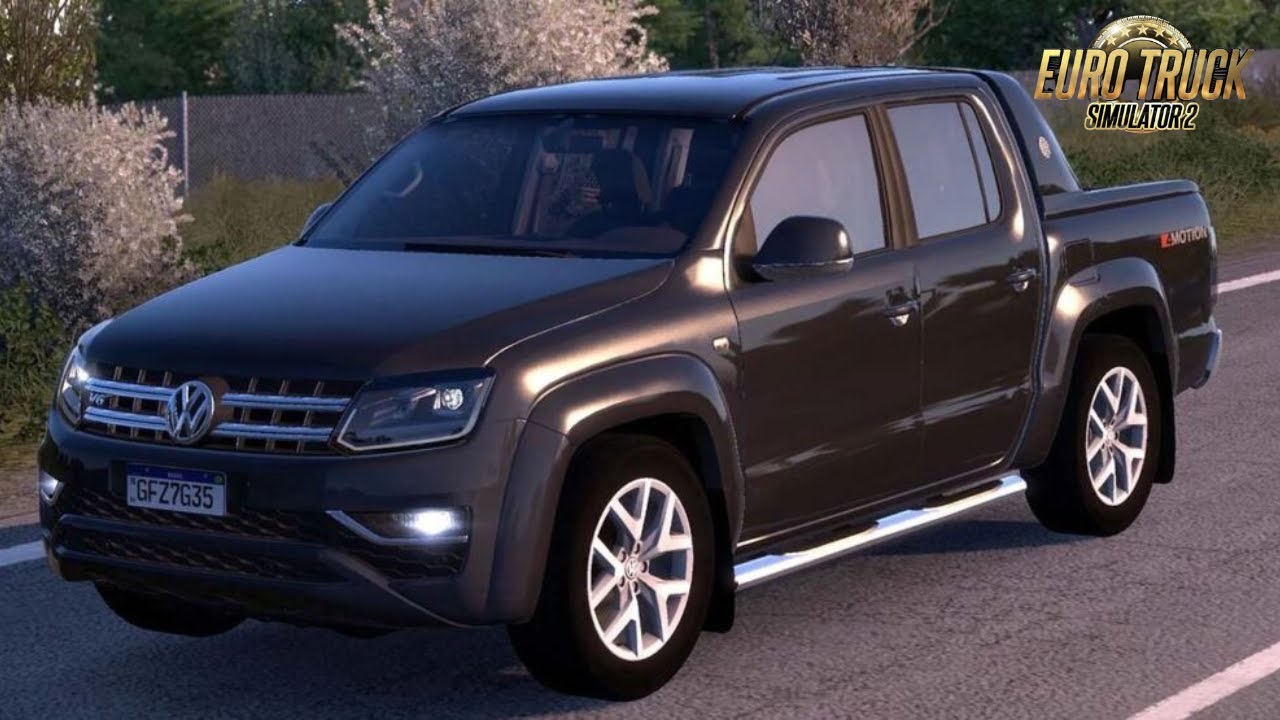
When you mention “**Q3D – Amarok**,” you’re almost certainly referring to a **mod for the Volkswagen Amarok pickup truck created by Q3D** for the game Euro Truck Simulator 2 (ETS2) or possibly American Truck Simulator (ATS).
Q3D is a well-known modder in the ETS2/ATS community, particularly recognized for creating highly detailed and high-quality car and pickup truck mods. Their Amarok mod is popular due to its realistic model, detailed interior, and often a good range of customization options.
### What to Expect from a Q3D Amarok Mod:
* **High-Quality Model:** Q3D mods are known for their accurate 3D models that closely resemble the real-life vehicle.
* **Detailed Interior:** Expect a well-modeled interior with functional gauges, animations (like wipers), and sometimes even working mirrors.
* **Customization Options:** These mods often come with various customization parts, such as:
* Multiple chassis options (e.g., standard, lowered, off-road)
* Engine and transmission choices
* Different wheel and tire options
* Accessories like bull bars, roof racks, tonneau covers, and lighting.
* Paint options and sometimes unique liveries.
* **Realistic Physics:** While it’s a car/pickup in a truck simulator, modders like Q3D try to give it realistic handling for its vehicle type within the game engine.
* **Compatibility:** Q3D mods are generally kept updated for the latest versions of ETS2 (and ATS, if applicable). However, always check the mod’s description for specific version compatibility.
### Where to Find It:
You’ll typically find Q3D’s Amarok mod on dedicated ETS2/ATS modding websites or sometimes directly from Q3D’s own platforms (if they have one). A quick search for “Q3D Amarok ETS2 mod” should lead you to download links. Be sure to download from reputable mod sites to ensure file safety.
### Installation:
Installation is standard for ETS2/ATS mods:
1. **Download:** Get the `.scs` file for the mod.
2. **Place:** Copy the `.scs` file into your `Documents\Euro Truck Simulator 2\mod` folder (or `American Truck Simulator\mod` if it’s for ATS).
3. **Activate:** In the game, go to the **Mod Manager** from your profile screen, find the Q3D Amarok mod, move it to the active mods column, and confirm changes.
Have you tried any other Q3D mods before, or is this your first time looking into their work?
Authors:
QUALTY 3D
Download Link: Download mod
* By clicking [Download mod] button you agree to leave this website. The link opens in the new tab. File is hosted in the external website. We are not responsible for the content of the external page and the possibility of free download of the file.