Better Flares v 3.2 for ETS2 plus Default Traffic addon

Descriptions:
Features:
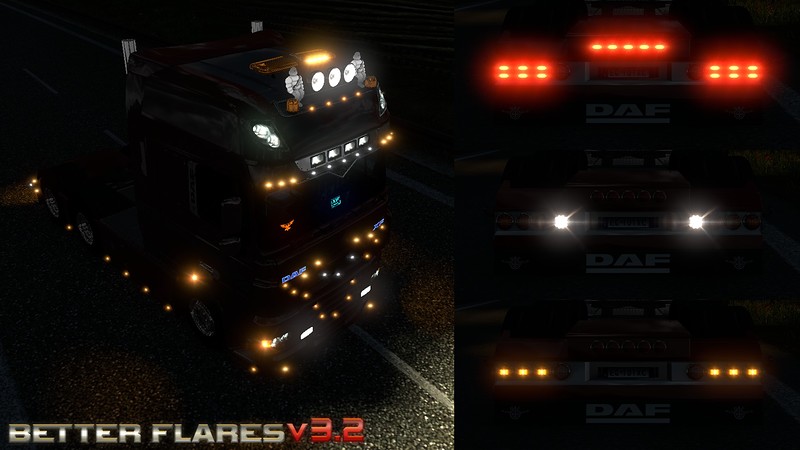
– New flares and truck lights. Choose the one you like.
– Traffic lights addon adding 12 different flares to traffic.
Warning!
Please read about mod structure before use!
BFv3.2 1.Base for ETS2 – mod itself.
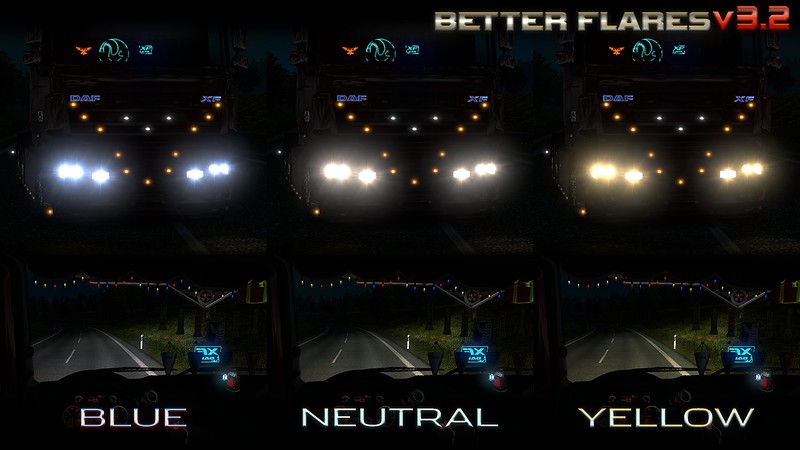
BFv3.2 2.Headlights Blue/Neutral/Yellow – 3 different flares and truck light colors. Plus smooth headlights switching.
BFv3.2 Default Traffic Addon – mod adding 12 different flares to default game traffic.
Warning! Proper mods order:
– BFv3.2 2.Headlights Blue/Neutral/Yellow
– BFv3.2 1.Base for ETS2
– All other mods
– BFv3.2 Jazzycat addons
– Jazzycat packs
– BFv3.2 Default Traffic Addon
Dear friends!
– If you don’t like the new truck lights, you can freely use your own or completely remove it by deliting def folder from BFv3.2. 2.Headlights.
– If you are using any bloom reducing mod (Realistic Graphics Mod for example), I strongly recommend you to increase the brightness of the flares. To do this, copy the contents of BFv3.2 for reduced bloom.zip to the [/i]BFv3.2 1.Base for ETS2.scs[/i] with replacement – and traffic flares will become brighter! You can restore previous settings by copying files from BFv3.2 for default game.zip.
– You can use any combination of flares and headlights. To change the flare, go to: BFv3.2 2.Headlightsunithookup and open the files
vehicle_aux_lights.sii
vehicle_headl.sii
vehicle_high_beam.sii
find next line inside them:
model: “/model/flare/headl_y0.pmd”
and instead of headl_y0 enter any other flare name (see the screenshots in this topic or inside the archive)
Changes in version 3.2:
– New flare textures and lights settings
– Traffic lights addons
Credits:
Aveliumar
Authors:
Aveliumar
Download Link: Download mod
* By clicking [Download mod] button you agree to leave this website. The link opens in the new tab. File is hosted in the external website. We are not responsible for the content of the external page and the possibility of free download of the file.