ETS2 1620 BOIADEIRO
Descriptions:
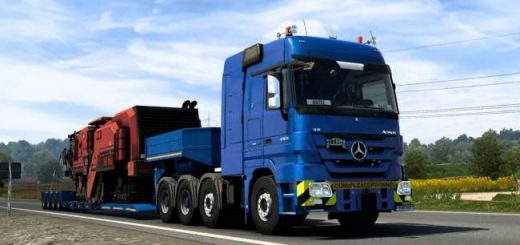
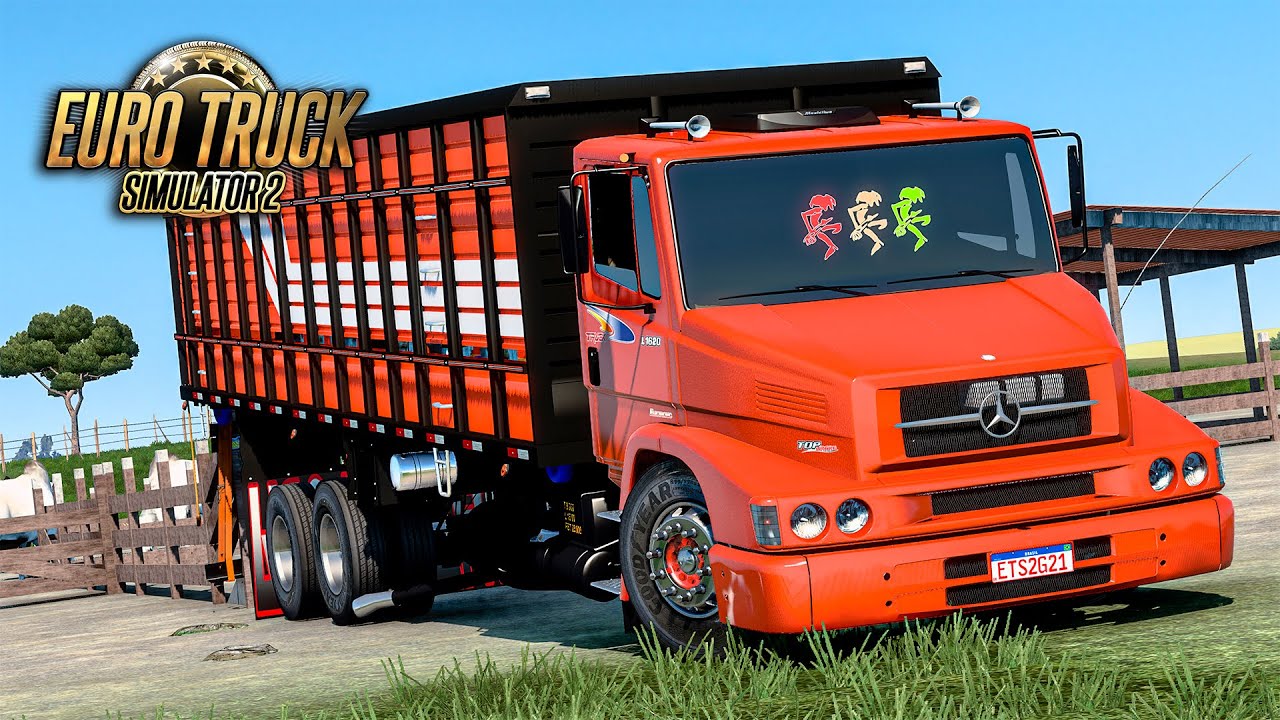
The Mercedes-Benz 1620, especially with the “Boiadeiro” (cattle transport) configuration, is an iconic truck in Brazil, known for its robustness and widespread use in agriculture and long-haul transportation. As such, it’s a very popular subject for mods in Euro Truck Simulator 2 (ETS2) among the Brazilian community.
When you say “ETS2 1620 Boiadeiro,” you’re almost certainly referring to a **community-made mod** that adds this specific truck model and its variations (including the “boiadeiro” or cattle transport trailer) to the game.
Here’s what you should know about ETS2 1620 Boiadeiro mods:
* **Popularity in Brazil:** The MB 1620 is deeply ingrained in Brazilian trucking culture, so many modders create highly detailed versions for ETS2. These mods often come with various customization options to reflect the real-life trucks seen on Brazilian roads.
* **”Boiadeiro” Configuration:** This typically refers to the truck combined with a cattle trailer (gaiola boiadeira). Many 1620 mods offer this trailer as an optional cargo or a specific configuration for the truck itself.
* **Features of 1620 Mods:**
* **Detailed Models:** Modders often strive for accuracy in the truck’s exterior and interior, including realistic textures, dashboards, and lights.
* **Customization:** Expect a wide range of accessories, such as different chassis options (e.g., 6×2, 4×2), bumpers, exhausts, lights, antennas, and interior decorations.
* **Realistic Sounds:** Many mods include custom sound sets to accurately replicate the distinct engine and exhaust sounds of the real 1620.
* **Compatibility:** Modders regularly update their 1620 mods to be compatible with the latest ETS2 game versions (like 1.54). It’s important to check the mod’s description for compatibility with your game version.
* **Where to Find Them:**
* **Modding Websites:** Websites like World of Mods, ETS2Mods, and other dedicated Brazilian ETS2 modding sites are common sources.
* **YouTube Channels:** Many Brazilian YouTubers who play ETS2 showcase and provide download links for these mods in their video descriptions. Search for “ETS2 1620 Boiadeiro download” or “ETS2 MB 1620 mod” on YouTube.
* **Facebook Groups/Forums:** Dedicated ETS2 modding communities on social media or forums are also good places to find these mods and get support.
* **Installation:**
1. **Download the mod:** Usually, it’s a .scs file (or multiple .scs files if it’s a pack).
2. **Place in mod folder:** Copy the .scs file(s) to your ETS2 mod folder, which is typically located at `Documents\Euro Truck Simulator 2\mod`.
3. **Activate in Mod Manager:** Open ETS2, go to the “Mod Manager” from the profile selection screen, and activate the 1620 mod(s). Make sure to arrange them correctly if there are multiple files (e.g., base, sound, fixes).
4. **Buy in game:** Once activated, you can usually buy the truck from a Mercedes-Benz dealer in the game.
When downloading any mod, always be sure to get it from a reputable source to avoid potential issues with corrupted files or viruses. Also, check for any specific requirements or load orders mentioned by the mod creator.
Authors:
JAIR MESSIAS BOLSONARO
Download Link: Download mod
* By clicking [Download mod] button you agree to leave this website. The link opens in the new tab. File is hosted in the external website. We are not responsible for the content of the external page and the possibility of free download of the file.